LumoTray 2.2.0 is here with two new wallpaper modes, video support for the Matrix effect, and smarter screensaver behavior. Here’s everything in this release.
What’s new
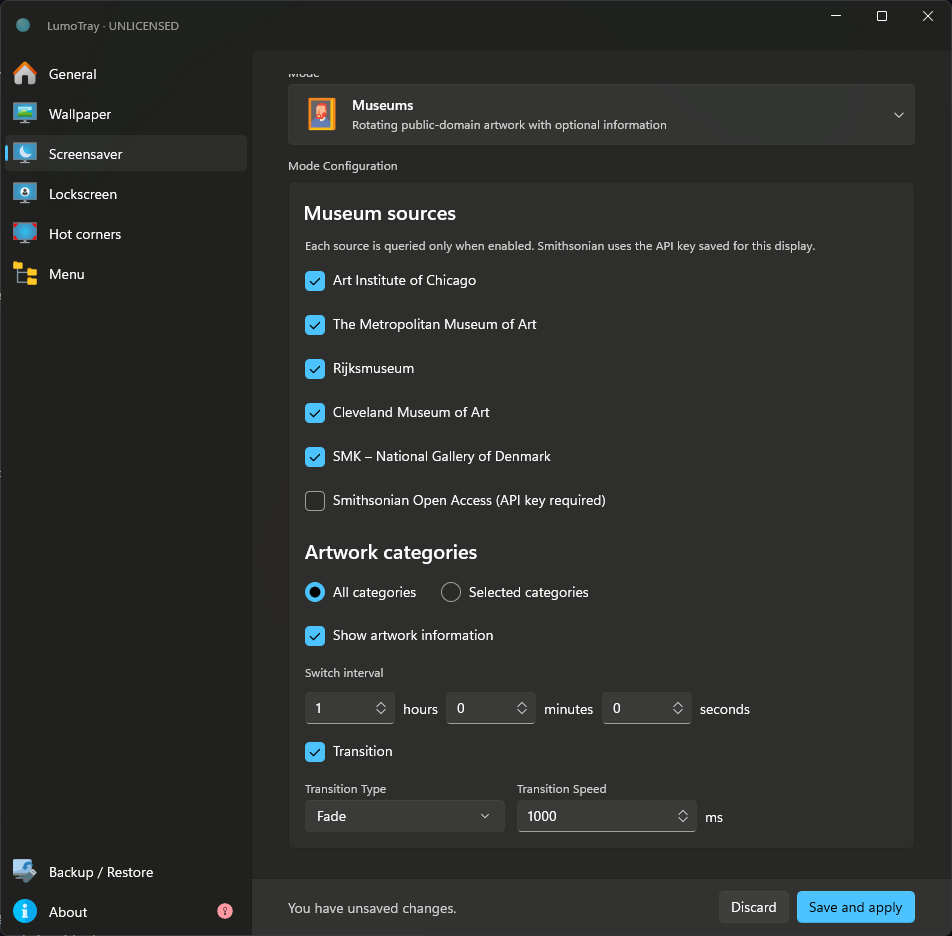
Museums mode. A new wallpaper source that pulls random paintings and sculptures from museums around the world. Each refresh brings a new piece – paintings, sculptures, artifacts – straight to your desktop. Works for wallpapers, lockscreen, and fullscreen/screensaver modes.
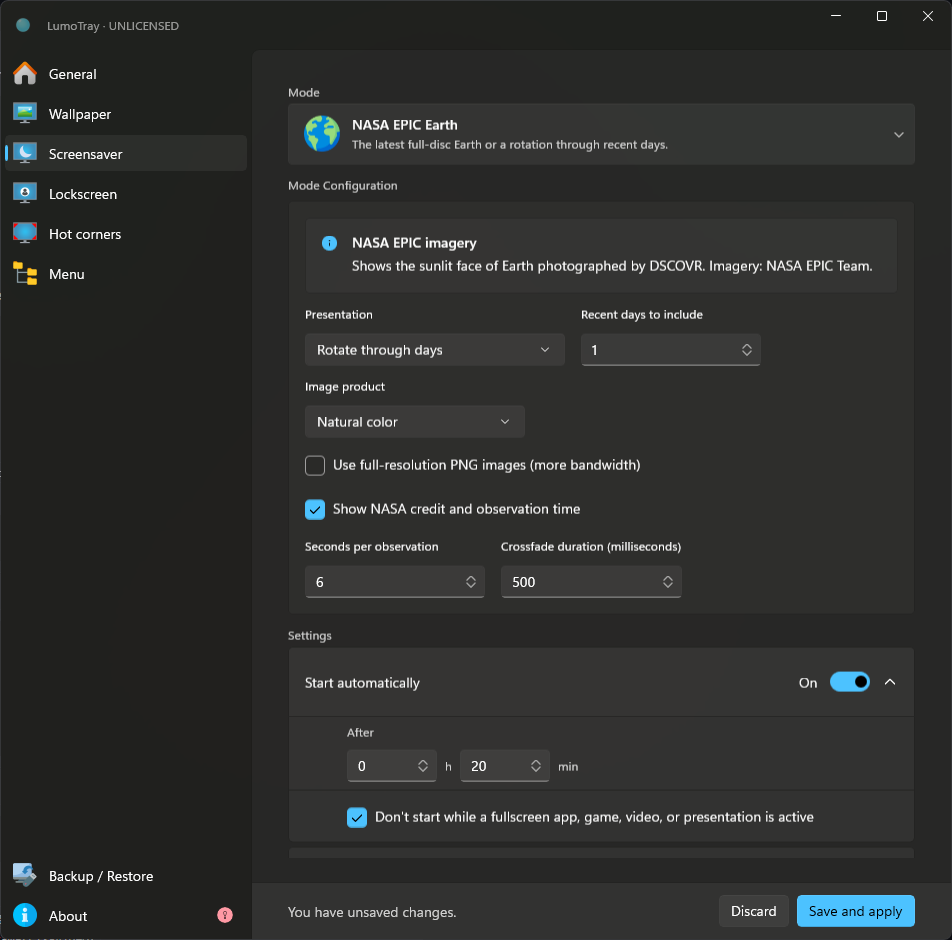
NASA EPIC mode. Live Earth imagery from NASA’s Earth Polychromatic Imaging Camera aboard the DSCOVR satellite. You get the latest full-disc image of Earth, or a timelapse spanning up to 7 days. Also available across wallpaper, lockscreen, and screensaver modes.
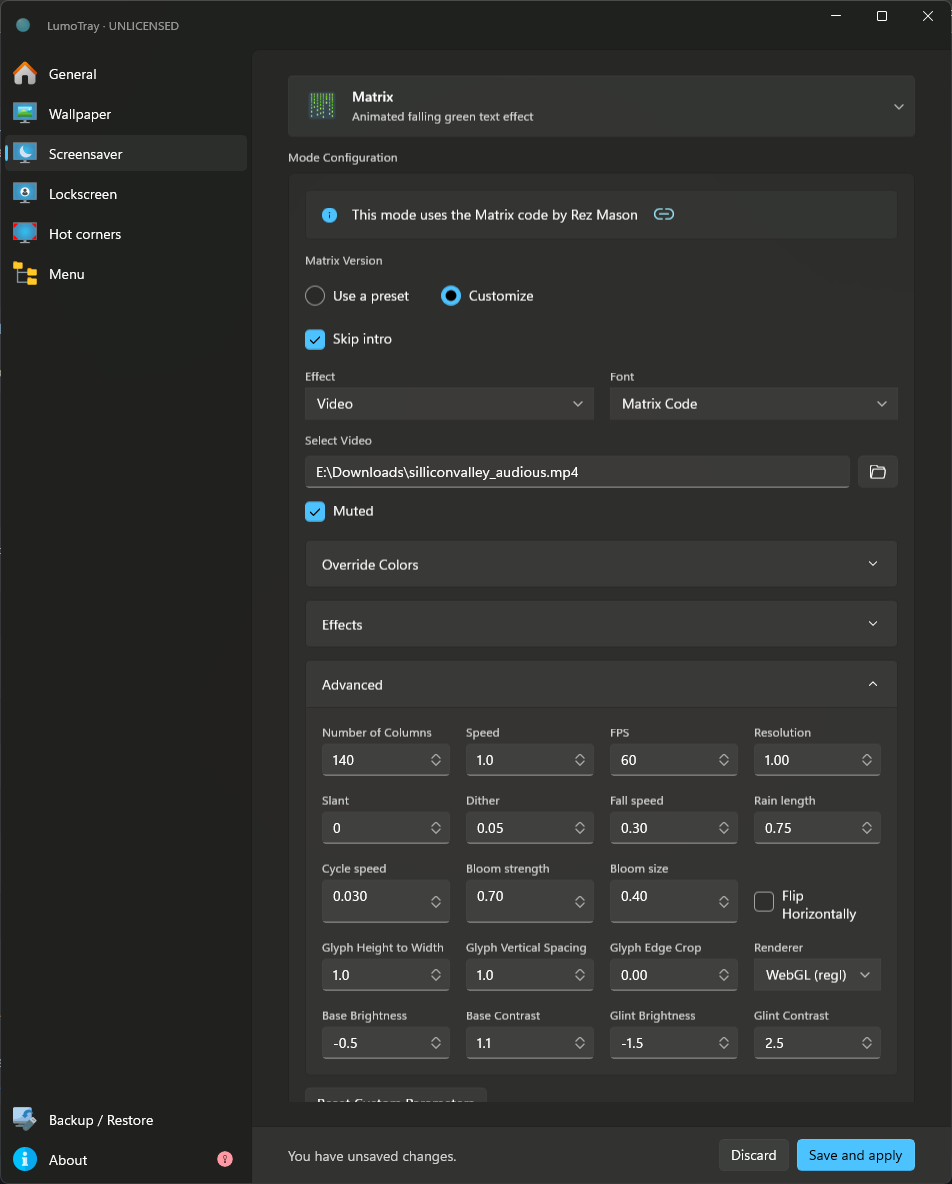
Matrix effect now supports videos. You can now layer the Matrix code rain effect over a video of your choice – mp4, webm, any format LumoTray already handles for live wallpapers. Pick a clip and the green rain runs on top.
Per-display screensaver prevention. A new per-monitor toggle lets you block screensavers from starting automatically while a fullscreen app, game, video, or presentation is active on that display. No more screensaver kicking in during a movie on your secondary monitor while you work on the main one.
What’s improved
Matrix settings rework. The Matrix configuration UI has been cleaned up. There’s now a clear separation between presets (plug-and-play looks) and full custom configuration, so you can get a good result fast or dial in every parameter if you want more control.
Screensaver delay minimum. Automatic screensaver start delays now have a minimum of one minute. This prevents accidentally setting absurdly short delays that trigger before you can even get back to your keyboard.
Removed Matrix isometric option. The isometric Matrix variant was never properly supported and caused confusion in the settings. It’s been removed.
Get it
The update is live on the Microsoft Store and should install automatically with automatic updates enabled. Otherwise, grab it directly from here.