LumoTray 2.1.0 is out. This one focuses on multi-monitor flexibility – the most requested feature since v2 launched – along with a handful of fixes.
What’s new
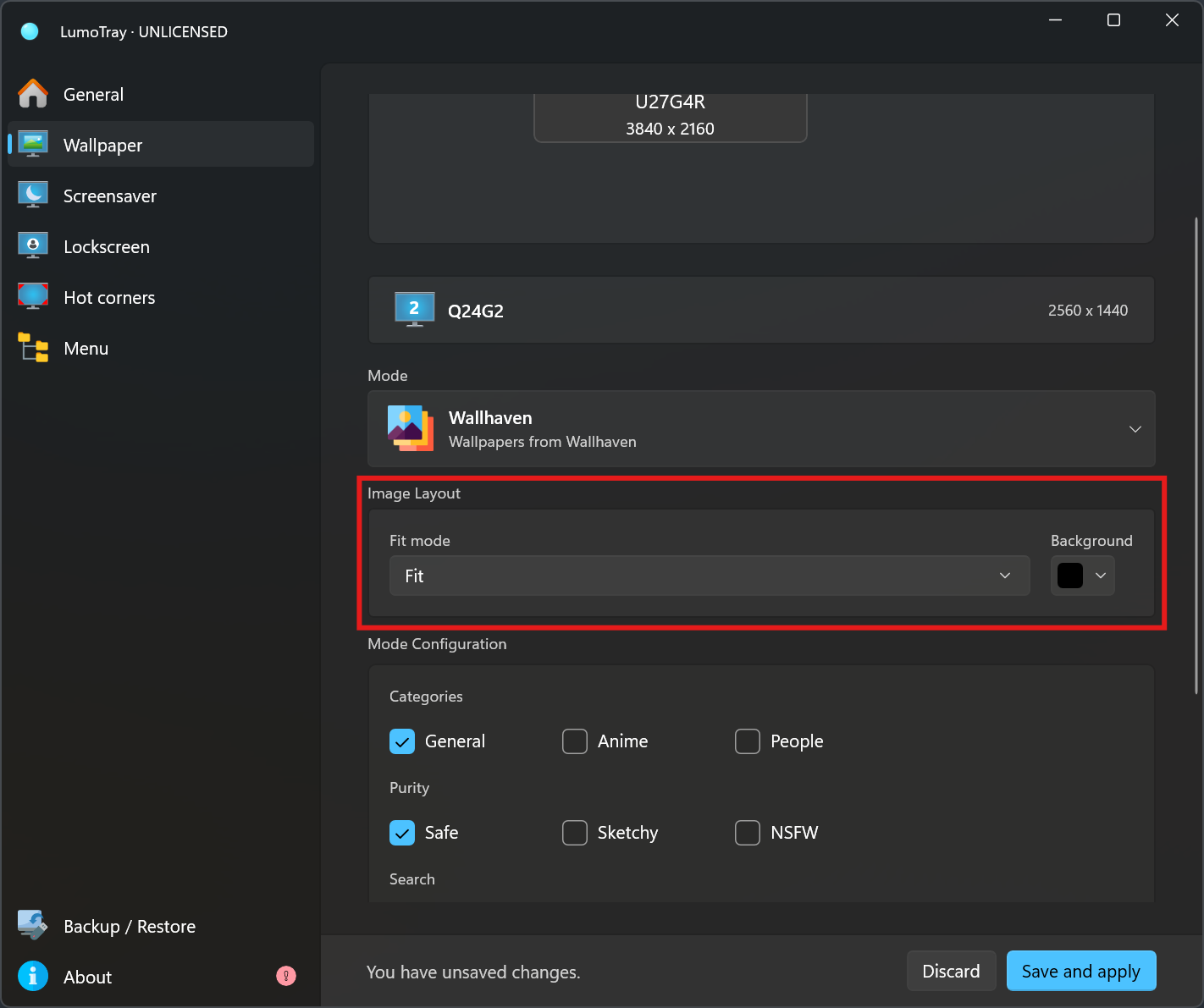
Per-monitor wallpaper fit modes. You can now set a different fit mode for each monitor independently. Before, changing the fit (fill, fit, stretch, tile, center, or span) applied to every display at once. Now each monitor gets its own fit mode and background color, so you can have a centered wallpaper on your main display, a stretched image on a secondary monitor, or a solid color fill on a third – whatever works for your setup.
Store Rating Widget. The license reminder window now includes an option to rate LumoTray on the Microsoft Store. If you find the app useful, a rating goes a long way for a solo developer – it helps with visibility and it only takes a few seconds.
What’s fixed
Matrix mode defaults and limits. The parameters for Matrix and Matrix 3D wallpapers have been adjusted with better defaults and stricter limits, so the effect looks good out of the box without having to tweak everything manually.
Matrix 3D parameter display. Matrix 3D mode parameters weren’t rendering correctly in the settings UI. That’s been fixed.
Get it
The update is live on the Microsoft Store and should install automatically if you have automatic updates turned on. Otherwise, grab it here.